Product feature update: Support is now available on the BondScanner website

Support on web, why it matters
BondScanner is available both as a mobile app and on the web at bondscanner.com. Many users browse bonds, review deal details, and check their holdings on the website. But until now, if they had a question or needed help, the support options were only available inside the app.
This created a friction point that users noticed. One of them put it simply: "I was on the website and needed help but couldn't find a way to reach support without opening the app."
That gap is now closed.
Support is now available on the BondScanner website
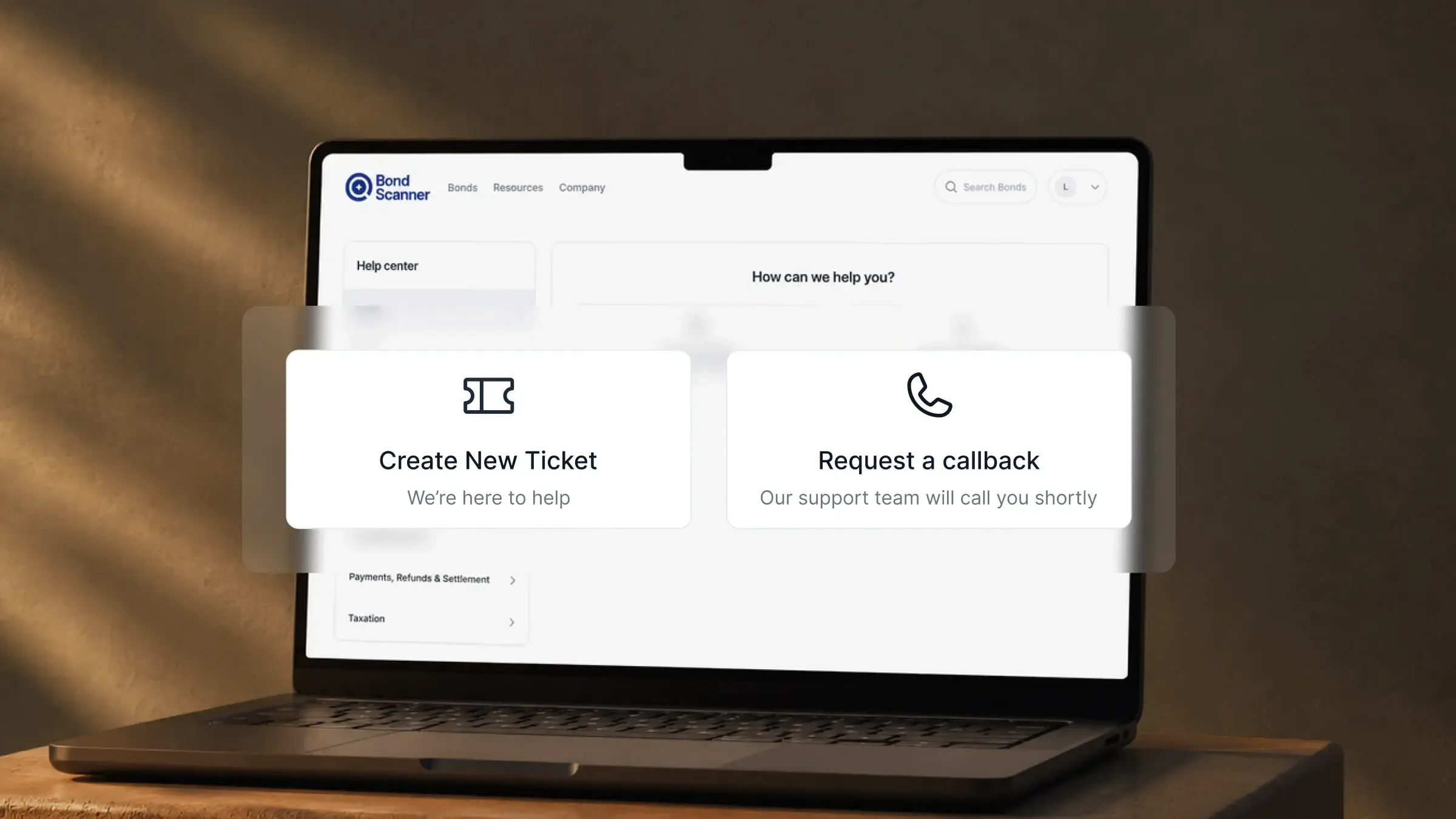
BondScanner has brought the full support experience to the website. You can now raise tickets, request callbacks, and track existing queries directly from bondscanner.com, without switching to the app.
The support section on the website has the same functionality as the in-app support. Whether you prefer using BondScanner on your phone or on a desktop browser, the support tools are now available in both places.
What you can do from the website
The website support section lets you do the following:
Raise a support ticket: submit a query or issue directly from the website and it will be picked up by the BondScanner support team
Request a callback: if you prefer to speak with someone, you can request a callback through the support section
Track existing tickets: view the status of support queries you have already raised, so you know where things stand
All three options are available regardless of whether you are logged in on the app or just using the website.
Where to find it
The support section is located in the top-right corner of the BondScanner website, in the same area where you access your profile. Look for the support or help icon there.
You will need to be logged into your BondScanner account on the website to raise tickets or track queries, since these are linked to your account.
Raising a support ticket on web
To raise a support ticket from the website, go to the Support section in the top-right corner, select the option to raise a new ticket, describe your issue or query, and submit. The ticket is then logged against your account and the support team will respond.
You can use this for any queries related to your investments, account details, transactions, or anything else where you need help. The support team handles web tickets in the same way as app tickets.
Tracking existing tickets
If you have already raised a support ticket, whether from the app or the website, you can now track its status from the website too. The Support section shows your active and resolved tickets along with their current status.
This means you do not need to open the app just to check whether your query has been addressed. A quick visit to bondscanner.com gives you the same visibility.
Recent Blogs

Buying bonds? These 5 mistakes could be quietly increasing your risk
A practical retail guide to navigating corporate debt highlighting why chasing headline yields, ignoring concentration risk, and overlooking secondary market illiquidity can undermine your portfolio.

Nishchay Nath
06 Oct 2026

Comparisons
Edelweiss vs Muthoot Fincorp NCDs: Which high-yield issue wins?
Missed the Muthoot Fincorp NCD? A side-by-side comparative guide to locking in up to 10.00% per annum with Edelweiss Financial Services—breaking down CRISIL ratings, risk-reward tradeoffs, and portfolio allocation rules.

Atharva Joshi
06 Oct 2026

Founder's Notes
India’s bond market does not need more education, it needs better products
Why closing the ₹214 lakh crore gap between bank deposits and corporate bonds requires simpler product architecture, tokenized fractionalization, and seamless wallet-driven investing rather than endless investor education.
Nishchay Nath
30 Sep 2026
Issuer Spotlights
Understanding SMC global securities bonds: returns, credit rating & risk factors
A comprehensive investor guide to SMC Global Securities Limited NCDs, breaking down diversified financial services, annual cash flows, CRISIL A credit ratings, secondary market yields, and risk parameters.

Subham Mishra
28 Sep 2026