Selfie liveness detection: How the step safeguards users from biometric fraud

What Is Liveness Detection?
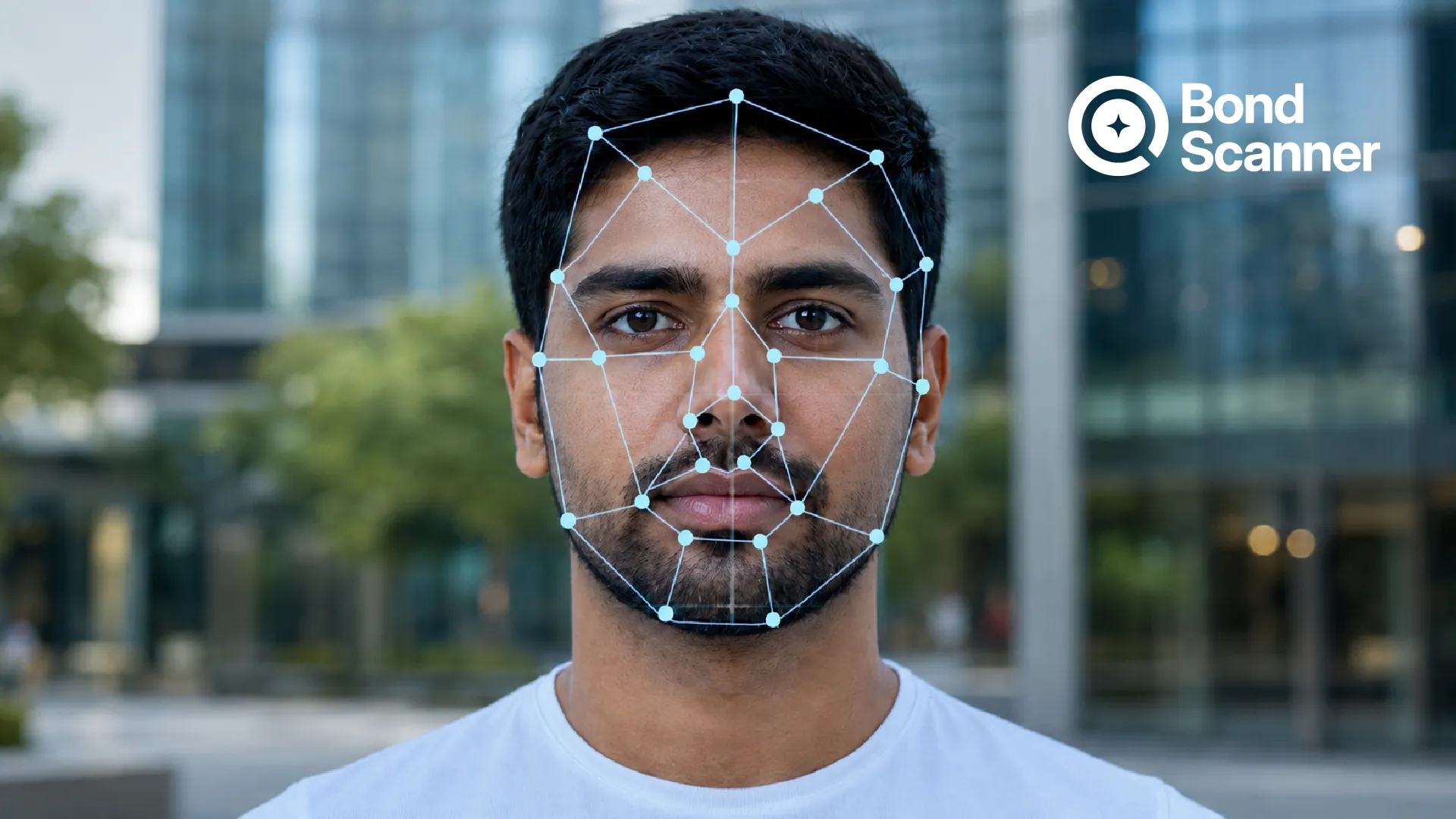
Liveness detection is a biometric security technology that determines whether a real, live human is present during identity verification. It helps systems distinguish between an actual person and fake biometric attempts such as photos, videos, masks, or deepfakes.
In simple terms, facial recognition checks who you are, while liveness detection checks whether you are physically present during the verification process.
For example, when a financial app asks you to take a selfie during KYC verification, the platform may also run a liveness detection online check. The system analyzes movements, depth, lighting, facial texture, blinking patterns, and other signals to verify authenticity.
This extra layer significantly reduces the risk of biometric spoofing attacks.
Why Selfie Verification Needs Liveness Detection
Traditional facial recognition systems can sometimes be fooled by static images or pre-recorded videos. Fraudsters have become increasingly sophisticated, especially with the rise of AI-generated deepfakes.
Modern fraud attempts may involve:
● Using someone’s social media photo
● Displaying a recorded video in front of the camera
● Wearing realistic 3D masks
● Injecting AI-generated deepfake feeds
● Using manipulated facial images
Without liveness verification, attackers may bypass selfie authentication systems and gain unauthorized access to sensitive financial accounts.
Research and cybersecurity reports show that liveness detection has become critical for defending against spoofing and deepfake-based attacks in biometric systems.
How Selfie Liveness Detection Works
When users upload or capture a selfie, the system performs several checks in the background to confirm that the face belongs to a live person.
The process usually includes:
1. Facial Movement Analysis
The system detects natural human movements such as:
● Blinking
● Eye movement
● Head rotation
● Facial expressions
● Lip movement
These subtle motions are difficult to replicate perfectly using static photos or masks.
2. Texture and Depth Detection
Advanced algorithms analyze skin texture, shadows, reflections, and 3D depth information to differentiate real faces from printed images or screens.
3. AI-Based Pattern Recognition
Machine learning models identify unusual patterns associated with spoofing attempts, replay attacks, or synthetic images.
4. Challenge-Response Verification
Some platforms ask users to:
● Smile
● Turn their head
● Blink
● Read numbers aloud
This is known as active liveness detection because the user actively responds to prompts.
5. Device and Environmental Checks
Modern systems may also analyze:
● Camera authenticity
● Device signals
● Lighting consistency
● Session behavior
This helps detect advanced fraud methods such as camera injection attacks and deepfake streams.
Types of Liveness Detection
Passive Liveness Detection
Passive liveness works silently in the background without asking users to perform actions.
The system automatically analyzes facial data, skin texture, lighting, and micro-expressions.
Benefits include:
● Faster verification
● Better user experience
● Lower friction during onboarding
However, passive methods may sometimes be less effective against sophisticated spoofing attempts.
Active Liveness Detection
Active liveness requires users to perform specific actions such as:
● Blinking
● Smiling
● Turning their head
● Following on-screen instructions
This makes it harder for attackers to use replay videos or static images.
Hybrid Liveness Detection
Many financial institutions now use hybrid systems that combine passive and active checks for stronger security.
Common Biometric Fraud Attacks
Biometric fraud is evolving rapidly as attackers adopt AI-powered tools.
Some common attacks include:
Photo Spoofing
Fraudsters use printed or digital photos of a victim to bypass facial verification.
Replay Attacks
Attackers display recorded videos in front of a camera during authentication.
Mask Attacks
Realistic silicone or 3D masks are used to imitate another person’s face.
Deepfake Attacks
AI-generated synthetic videos mimic facial movements and expressions to deceive verification systems.
Recent cybersecurity reports suggest that deepfake attacks are becoming increasingly advanced and difficult to detect without robust liveness detection systems.
How Liveness Detection Protects Users
Selfie liveness detection safeguards users in several ways.
Prevents Identity Theft
By confirming that a live person is present, the system prevents stolen images or videos from being used fraudulently.
Reduces Account Takeover Risks
Fraudsters cannot easily bypass authentication using fake selfies or manipulated videos.
Improves Digital KYC Security
Banks, NBFCs, fintech platforms, and investment apps use liveness checks to strengthen online onboarding.
Protects Against Deepfake Fraud
AI-powered liveness detection can identify inconsistencies in deepfake videos and synthetic facial behavior.
Builds Trust in Digital Banking
Secure biometric verification increases confidence in digital financial services and reduces fraud-related losses.
Liveness Detection in Online KYC and Banking
Today, selfie-based liveness detection online is widely used in:
● Bank account opening
● Video KYC
● Investment account onboarding
● Loan applications
● Insurance verification
● Digital wallets
● Crypto exchanges
During online KYC, users are typically asked to upload:
1. Government-issued ID proof
2. A live selfie
3. Sometimes a short video verification
The platform then matches the selfie with the ID document and performs liveness analysis to confirm authenticity.
This helps organizations comply with regulatory requirements while improving fraud prevention.
Liveness Detection Failed Meaning
Many users encounter the message “liveness detection failed” during online verification.
What Does Liveness Detection Failed Meaning Indicate?
It means the system could not confidently verify that a real, live person was present during the selfie capture.
This may happen because of:
● Poor lighting
● Blurry camera quality
● Face partially covered
● Network interruptions
● Excessive movement
● Low-resolution selfie
● Camera permission issues
● Suspected spoofing patterns
How to Fix Liveness Detection Failed Errors
Users can improve verification success by:
● Using good lighting
● Removing sunglasses or masks
● Keeping the camera steady
● Looking directly at the camera
● Ensuring proper internet connectivity
● Following on-screen instructions carefully
If repeated failures occur, users may need to retry from another device or contact customer support.
Challenges and Limitations
Although liveness detection has improved significantly, challenges still remain.
Deepfake Evolution
AI-generated synthetic faces are becoming more realistic and sophisticated.
False Positives
Sometimes genuine users may fail liveness checks because of poor lighting, camera quality, or facial obstructions.
Accessibility Concerns
Users with disabilities or older devices may face verification difficulties.
Privacy Concerns
Biometric data collection requires strong encryption and responsible data handling practices.
This is why financial institutions increasingly use layered security approaches that combine liveness detection with device intelligence, behavioral analytics, and fraud monitoring.
The Future of Biometric Security
As digital identity verification expands, selfie liveness detection will continue evolving.
Future trends may include:
● AI-powered anti-deepfake systems
● 3D facial mapping
● Behavioral biometrics
● Continuous authentication
● Hardware-based camera verification
● Real-time fraud analytics
Experts believe liveness detection will remain one of the most important defenses against biometric fraud in digital finance.
For users, this means safer onboarding experiences and stronger protection against identity theft.
FAQs
What is liveness detection meaning?
Liveness detection is a biometric security process that verifies whether a real human is physically present during authentication instead of a fake photo, video, mask, or deepfake.
What is selfie liveness detection?
Selfie liveness detection is a technology used during facial verification to confirm that the selfie belongs to a live person in real time.
Why is liveness detection important?
It protects users from biometric fraud, spoofing attacks, account takeovers, and deepfake-based identity theft.
What does liveness detection failed meaning indicate?
It means the system could not verify a live person during the selfie verification process. This may happen due to poor lighting, camera issues, or suspected spoofing attempts.
Where is liveness detection used?
Liveness detection online is commonly used in banking, fintech apps, online KYC, insurance onboarding, crypto exchanges, and digital identity verification platforms.
BondScanner, a SEBI-registered Online Bond Platform Provider (OBPP). Links to BondScanner's bond listing page, Android app, and iOS app referenced in this article are for informational purposes only.
Explore listed bonds on the BondScanner app:
Disclaimer
This blog is intended solely for educational and informational purposes. The instruments, issuer categories, yield ranges, and examples mentioned herein are illustrative and should not be construed as investment advice or recommendations.
BondScanner is a SEBI-registered OBPP and does not provide personalised investment advice. Nothing in this article is a solicitation to buy or sell any security.
Recent Blogs

India’s bond market does not need more education, it needs better products
Why closing the ₹214 lakh crore gap between bank deposits and corporate bonds requires simpler product architecture, tokenized fractionalization, and seamless wallet-driven investing rather than endless investor education.

Nishchay Nath
30 Sep 2026

Issuer Spotlights
Understanding SMC global securities bonds: returns, credit rating & risk factors
A comprehensive investor guide to SMC Global Securities Limited NCDs, breaking down diversified financial services, annual cash flows, CRISIL A credit ratings, secondary market yields, and risk parameters.

Subham Mishra
28 Sep 2026

Issuer Spotlights
Satin creditcare network bonds: NCD structure, rating & key risks
An in-depth investor guide to Satin Creditcare Network Limited NCDs, covering rural microfinance loan assets, semi-annual and annual cash flows, ICRA A credit ratings, secondary market yields, and key risk factors.

Tulika Singh
25 Sep 2026