Product feature update: Corporate actions are now on BondScanner

What are corporate actions?
When a company makes a major financial decision that affects its capital structure or its shareholders, it is referred to as a corporate action. These events are formally announced and typically have a defined record date, ex-date, or payment date that affects investors.
The most common corporate actions include:
Dividends: distributions of a company's earnings to shareholders, either as cash or additional shares
Bonus issues: allotment of additional shares to existing shareholders at no cost, drawn from the company's free reserves
Stock splits: division of existing shares into a higher number of lower-value units, without changing the company's total market capitalisation
For bond investors, corporate actions are worth paying attention to. They reflect a company's decisions around capital allocation, shareholder returns, and equity structure, all of which provide useful context about the issuer whose bonds you hold.
Corporate actions now on BondScanner
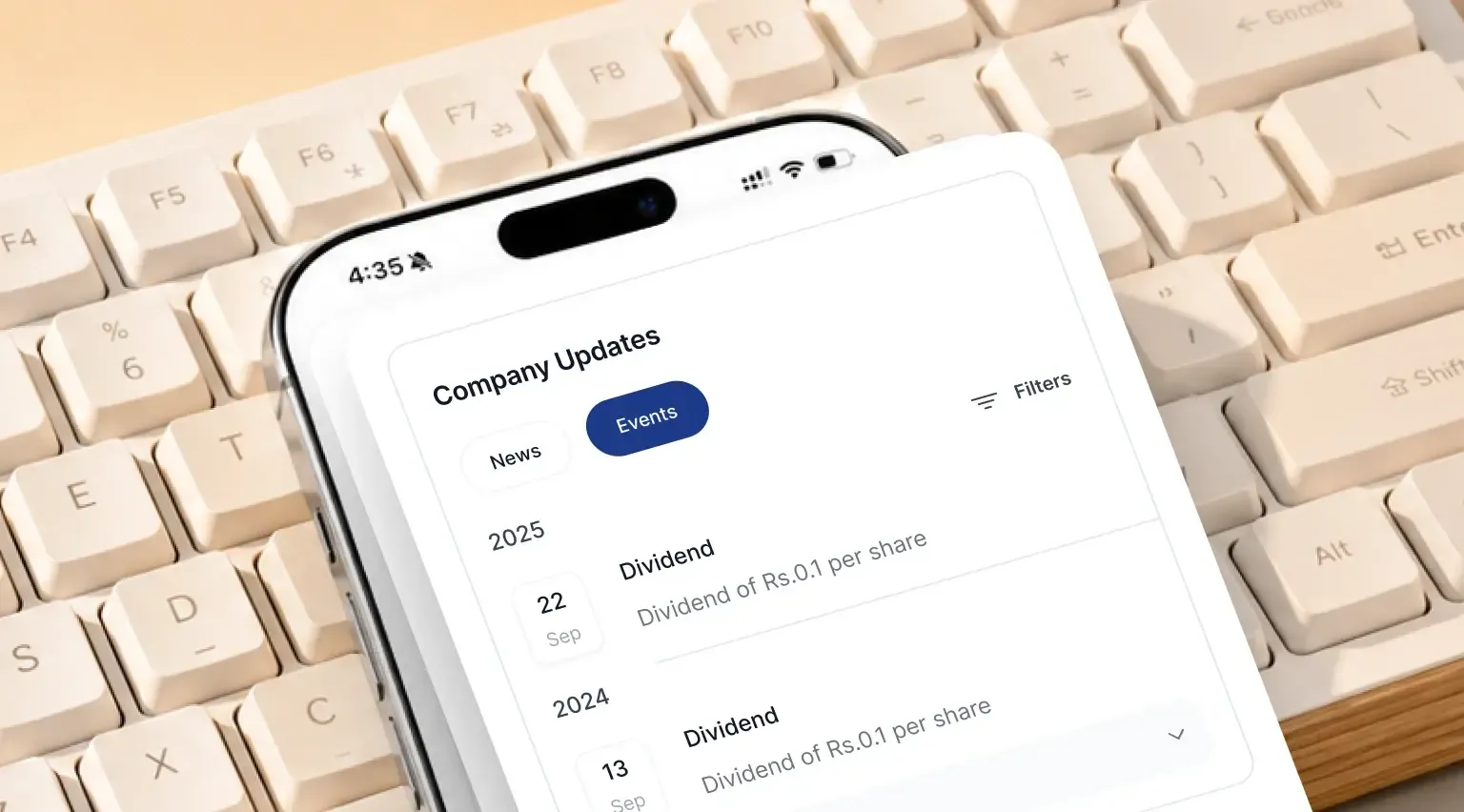
BondScanner now shows corporate actions for publicly listed companies directly within the app. The information is available in the Deal Details section, under Company Updates, and then the Events tab.
When you are looking at a bond, you can now also see what the issuing company has been doing in terms of major financial events, without having to leave the app or search on a separate platform.
The data covers the historical record of each company's corporate actions, displayed in a timeline format so you can see the sequence and frequency of events over time.
What you can track
The corporate actions section currently covers three types of events:
Dividends: includes cash and stock dividends, with details such as the amount per share and the relevant announcement and payment dates
Bonus issues: records instances where the company issued additional shares to shareholders from its reserves, along with the ratio and effective date
Stock splits: captures the split ratio and the date on which the split took effect
Each entry in the timeline shows the action type, the date, and key details relevant to that specific event.
How to filter by action type
If you want to focus on a specific category of corporate actions, a filter is available at the top of the Events tab.
You can filter by:
Dividends
Bonus
Splits
All (shows every action type in a single view)
Applying a filter narrows the timeline to only that category. This makes it easier to scan a company's dividend history or check whether it has issued bonus shares in recent years, without scrolling through every event type.
Why it matters for bond investors
When you invest in a bond, you are lending money to the issuer. Understanding how that company behaves financially over time is part of informed investing.
Corporate actions offer one lens into this. A company with a consistent dividend track record demonstrates a degree of financial stability. One that has done multiple stock splits or a large bonus issue has a documented equity history you can reference. Neither is inherently positive or negative, but the context is useful when forming a view on the issuer.
This information does not change the terms of your bond. It does, however, give you a fuller picture of the issuer, right where you are already reviewing the deal details.
Recent Blogs


Issuer Spotlights
Spandana sphoorty bonds: NCD structure, rating & key risks
A comprehensive investor guide to Spandana Sphoorty Financial Limited NCDs, breaking down microfinance loan assets, monthly interest distributions, BBB+ credit ratings, secondary market yields, and sector-specific risk factors.

Subham Mishra
18 Sep 2026