How to Use BondScanner Tools: Yields, Filters & Market Data Guide

Introduction
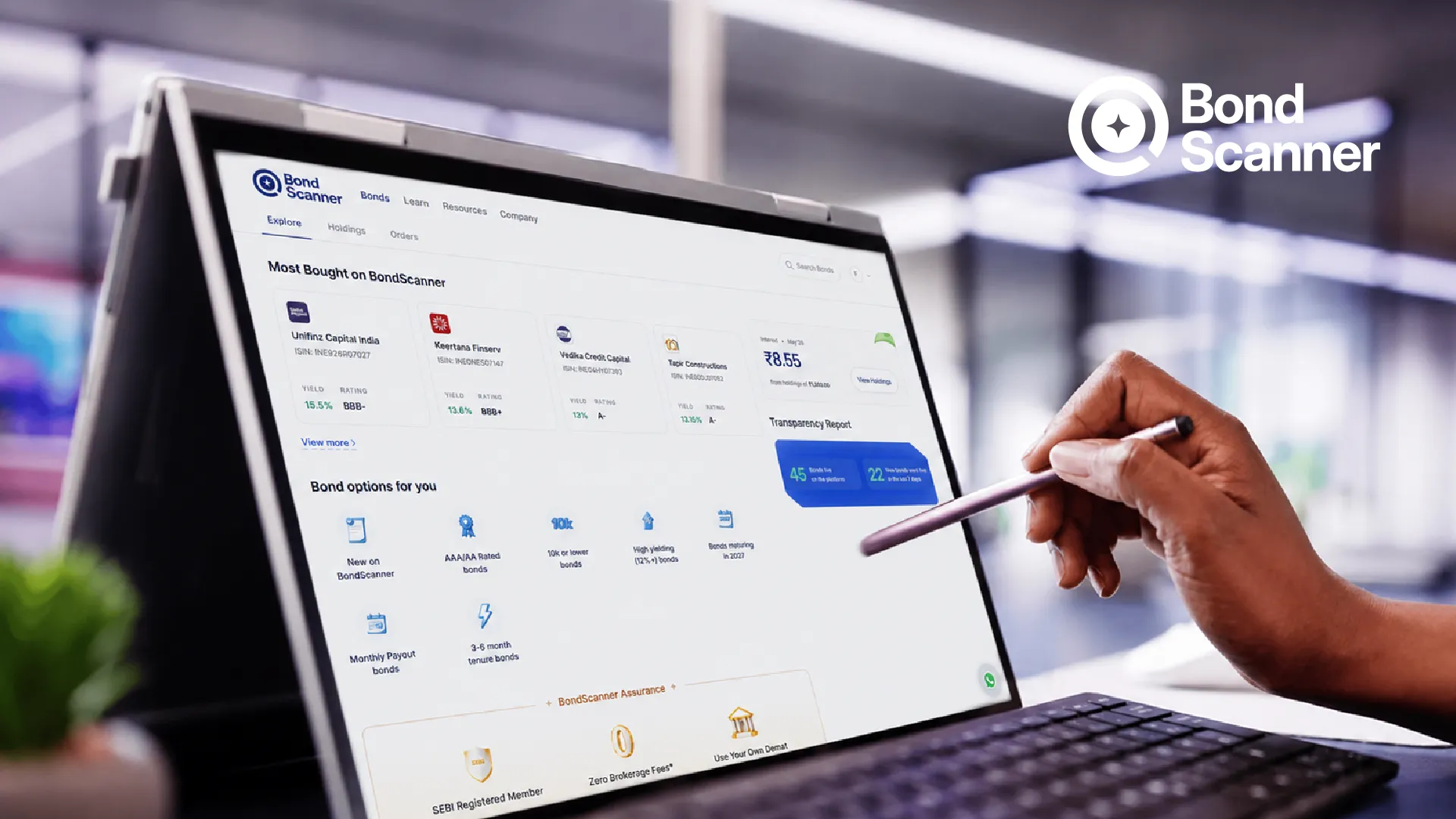
BondScanner simplifies bond exploration by offering a transparent, structured, and unified view of key bond characteristics.
Whether you are new to fixed-income or an experienced market participant, BondScanner’s tools help you interpret publicly available bond information more efficiently.
This guide explains how to use BondScanner’s tools—including yield views, filters, and real-time market data—in a clear and educational format.
Overview of BondScanner’s Digital Tools
BondScanner provides:
searchable bond databases
dynamic filters for rating, tenor, issuer type, and coupon structure
yield and pricing indicators (based on available exchange data)
maturity timelines
call/put schedule details
security type (secured, unsecured, subordinated)
credit rating visibility
access to offer documents and filings
These tools help users explore bonds in a structured way.
This guide walks you through how to navigate and make the most of the tools available on bondscanner, from bond screening to yield comparison and analytics.
Why Tools Matter for Bond Exploration
The fixed-income market offers a wide variety of instruments.
Tools help users:
filter large datasets quickly
compare maturity profiles
understand bond structures
analyse issuer categories
assess pricing vs yield relationships
navigate disclosures and documents
A systematic interface reduces complexity and supports informed evaluation.
Understanding Yields on BondScanner
BondScanner displays yield-related information when available from:
exchange feeds
market data sources
issuer filings
Yield Tools Help Users Interpret:
1. YTM (Yield to Maturity)
Shows the implied return assuming the bond is held to maturity.
2. YTC (Yield to Call)
Applicable if the bond has a call option.
3. Yield Range
Some market-linked bonds display yield ranges depending on structure.
4. Price–Yield Relationship
Shows how market price relates to indicative yield data.
Yield information is displayed for analytical understanding and is not predictive.
How to Use the Bond Filters
BondScanner’s filters allow users to narrow down thousands of instruments.
Common Filter Categories:
1. Rating
AAA, AA, A, BBB, etc.
2. Issuer Type
Corporate
PSU
Government securities
SDLs
Municipal bonds
3. Tenor
From short-term (0–2 years) to long-term (10+ years).
4. Coupon Type
fixed
floating
step-up
zero-coupon
5. Security Type
secured
unsecured
subordinated
6. Listing Status
Listed or unlisted.
Filters help users identify bonds that match specific characteristics they want to study.
Exploring Real-Time Market Data
BondScanner integrates market data streams when available:
indicative prices
yield snapshots
traded volumes (if applicable)
bid/ask ranges
market depth (on select instruments)
Market data helps users understand trading activity, liquidity patterns, and pricing behaviour.
Data is displayed without recommendations and reflects exchange/market feeds.
Bond Detail Pages: What Each Section Means
When a user selects a bond, BondScanner shows:
1. Issuer Overview
Basic details about the company or government body.
2. Coupon Information
Includes:
rate
frequency
payment dates
3. Maturity Schedule
Shows how long until redemption.
4. Security Type
Secured, unsecured, subordinated, or senior.
5. Call/Put Terms
Redemption options available to the issuer or investor.
6. Rating Summary
Latest rating from credit-rating agencies.
7. Offer Documents
Term sheets, disclosures, and filings.
These sections help users interpret the bond’s structure and risk profile.
Understanding Security Type & Ranking
Different bonds carry different ranking levels in case of liquidation:
1. Senior Secured Bonds
Backed by collateral.
2. Senior Unsecured Bonds
Backed by issuer’s general credit strength.
3. Subordinated / Tier-2 Instruments
Rank lower in repayment hierarchy.
4. Perpetual / AT1 Instruments
Have unique regulatory characteristics.
BondScanner displays these classifications clearly for user awareness.
Using Maturity & Tenor Tools
BondScanner’s tenor tools help users:
sort bonds by maturity
visualise duration buckets
identify how long the investment timeline is
evaluate short, medium, and long-term instruments
Maturity timelines support portfolio planning and duration analysis
Call, Put & Step-Up Information
Many bonds include optionality features.
Call Option
Issuer may redeem early.
Put Option
Investor may exit early (if offered).
Step-Up Coupon
Coupon increases at predefined intervals.
BondScanner displays:
scheduled call/put dates
coupon step-up timeline
indicative yields under each scenario
This helps users understand structural behaviour.
Tracking Issuer Disclosures & Documents
Access to documents is essential in the bond market.
BondScanner provides:
offer documents
prospectuses
rating reports
financial disclosures (as available)
regulatory filings
Users can study terms, covenants, risk factors, and issuer information in detail.
Comparing Bonds Side-by-Side
The comparison tool allows users to evaluate two or more bonds across:
coupon
maturity
rating
price/yield
issuer type
security category
market data
Side-by-side comparison is helpful for analysing:
PSU vs corporate bonds
secured vs unsecured instruments
different tenors
similar issuers with different structures
The tool is purely informational and does not indicate preferences.
Common Mistakes to Avoid
When using digital bond tools, investors sometimes make mistakes such as:
1. Focusing only on yields
Yield must be studied along with credit, maturity, and structure.
2. Ignoring credit-rating updates
Ratings evolve based on issuer performance.
3. Overlooking call/put features
Optionality can change expected timelines.
4. Misinterpreting market data
Real-time data is informational, not predictive.
5. Not reviewing offer documents
Terms and risks are detailed in disclosures.
Tools support exploration, but documents provide depth.
Conclusion
BondScanner’s tools—yields, filters, and real-time data—help users explore and understand fixed-income instruments with greater clarity.
By combining structured bond information, transparent disclosures, and intuitive navigation, BondScanner supports informed evaluation of bond characteristics without providing recommendations.
Disclaimer
This blog is intended solely for educational and informational purposes. The bonds and securities mentioned herein are illustrative examples and should not be construed as investment advice or personal recommendations. BondScanner, as a SEBI-registered Online Bond Platform Provider (OBPP), does not provide personalized investment advice through this content.
Readers are advised to independently evaluate investment options and seek professional guidance before making financial decisions. Investments in bonds and other securities are subject to market risks, including the possible loss of principal. Please read all offer documents and risk disclosures carefully before investing.
Recent Blogs


Issuer Spotlights
Nirmal Bang Securities Bonds: NCD Structure, Rating & Risks
An in-depth investor guide to Nirmal Bang Securities Private Limited NCDs, breaking down brokerage operations, 10.25% per annum quarterly payouts, CRISIL A- credit ratings, secondary market yields, and risk parameters.

Atharva Joshi
15 Oct 2026